End Agreement 2.0: A guided way to close out a storage agreement
STARTING UP
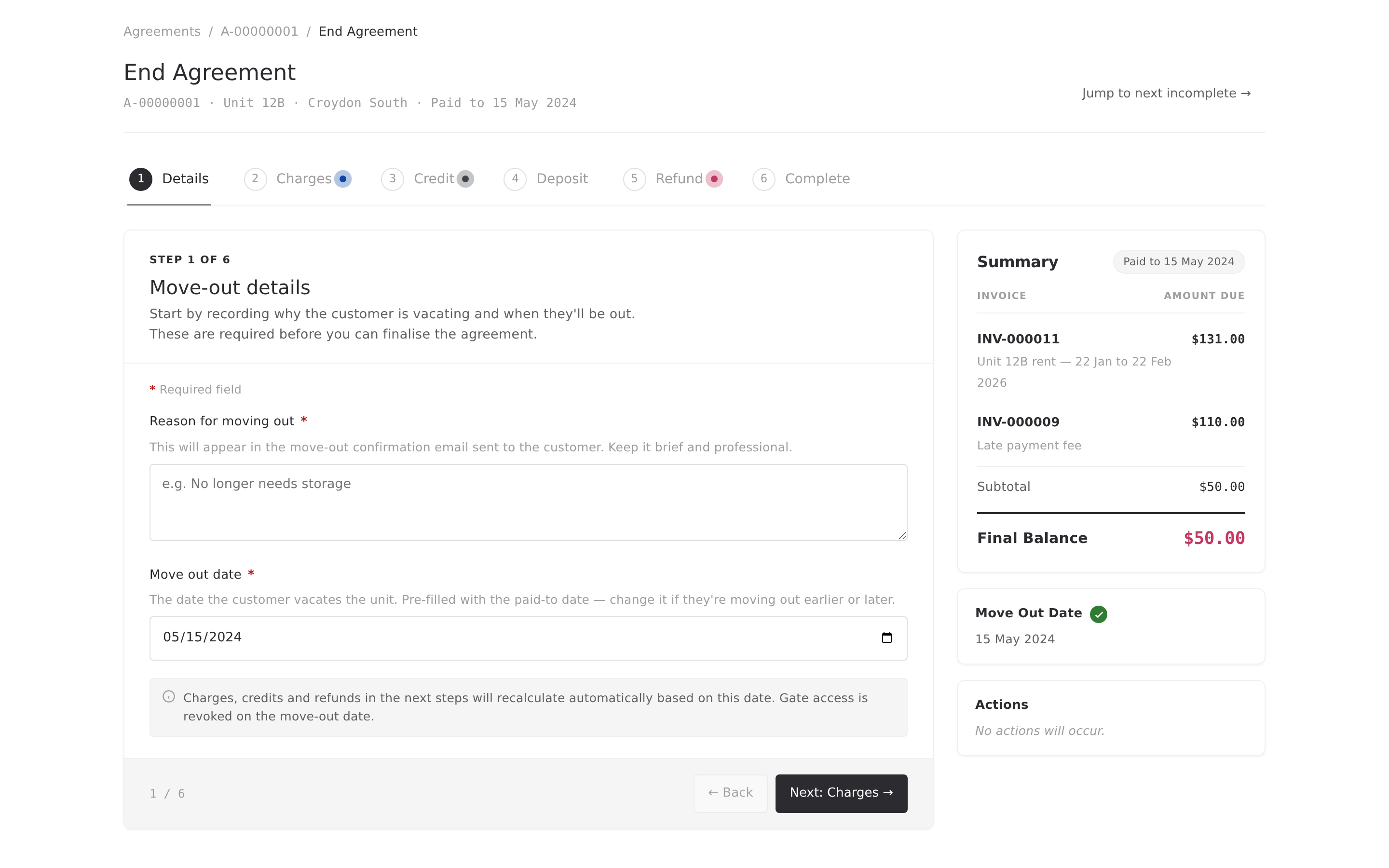
Ending an agreement is one of the higher-stakes things you do at a storage facility. Rent to reconcile, a deposit to sort out, a lock to remove, gate access to revoke, and a customer expecting a clean handover. Get any of it wrong and you're chasing an invoice, apologising for an over-refund, or explaining why a former customer still has gate access at 3am.
The old End Agreement page was a single scrolling form with seven decisions stacked on top of each other. It worked, but it asked you to hold the whole thing in your head at once. End Agreement 2.0 breaks the same job into a guided workflow, with a live summary of where you're landing, and a proper confirmation before anything commits.
What's new
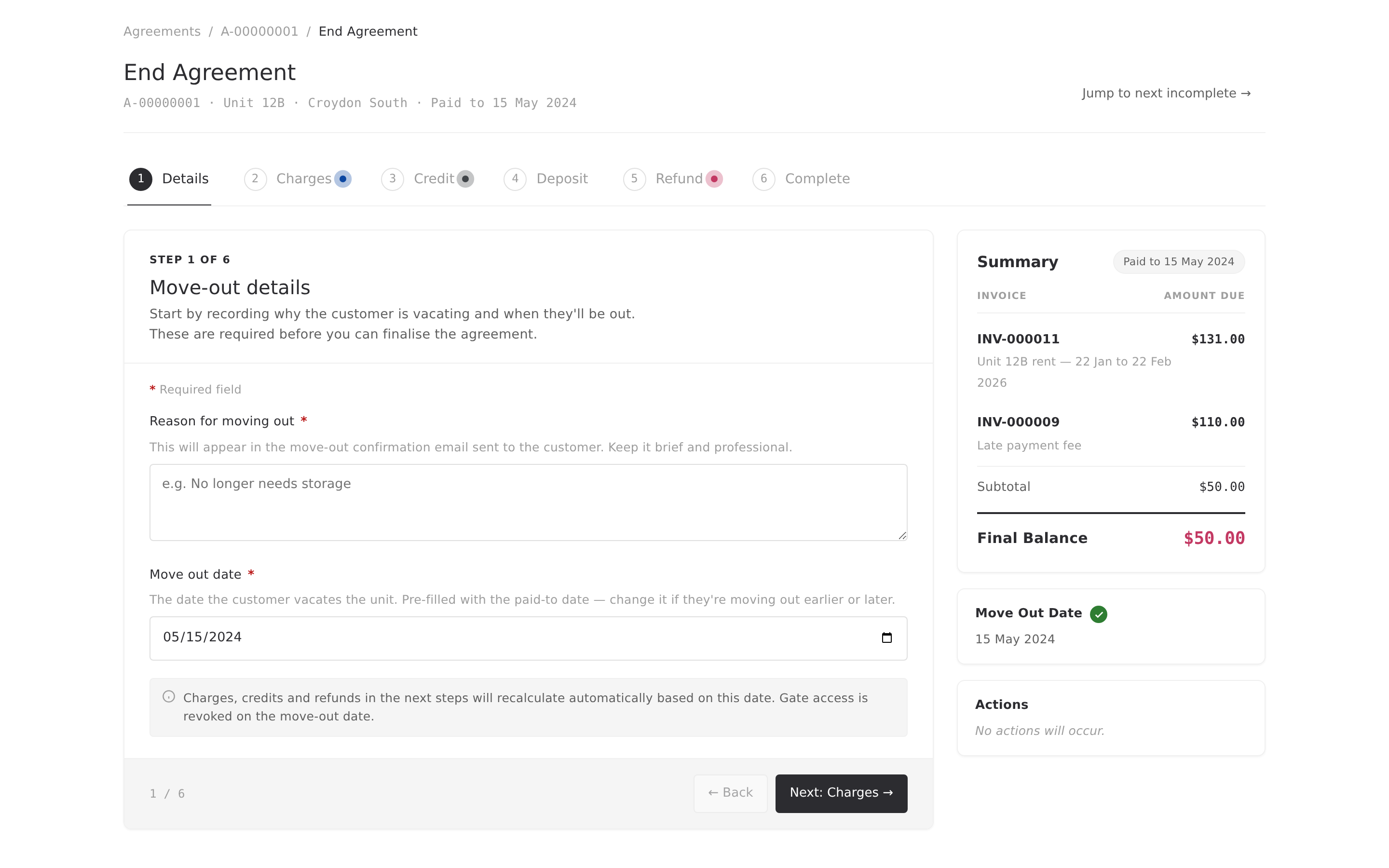
- Six-tab guided workflow replaces the single scrolling form — one decision per step, jumpable in any order.
- Live sidebar recalculates the final balance as you work. No more end-of-form surprises.
- Alyta suggestions pre-calculate pro-rata rent, credits, and refunds. Accept, dismiss, or edit the amount.
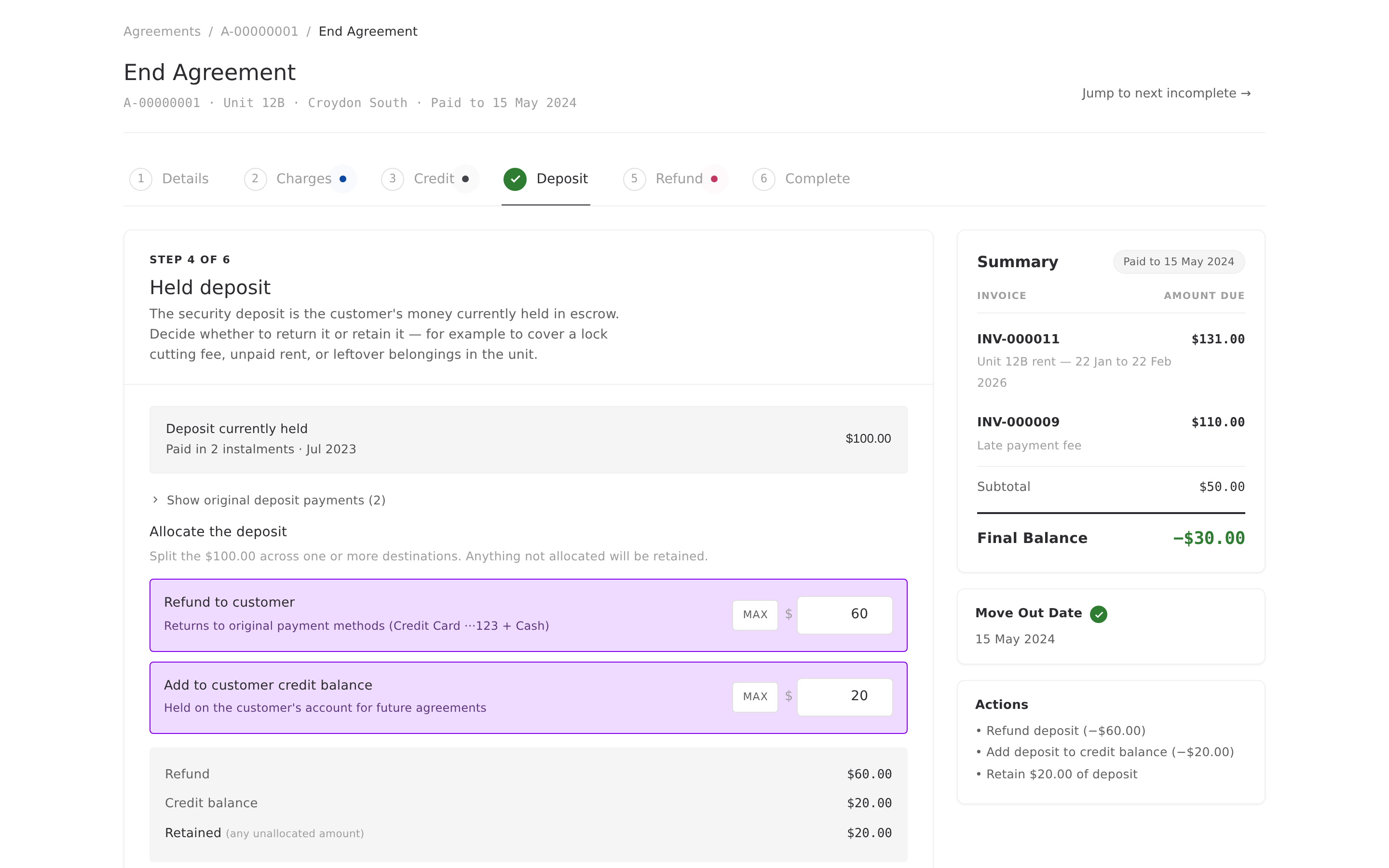
- Split deposit allocation — refund part to the customer, add part to on-account credit, retain the rest for lock cutting or unpaid rent.
- Automatic post-vacate actions — gate access revoked, unit returned to the vacant pool, customer emailed. All in one confirmed action.
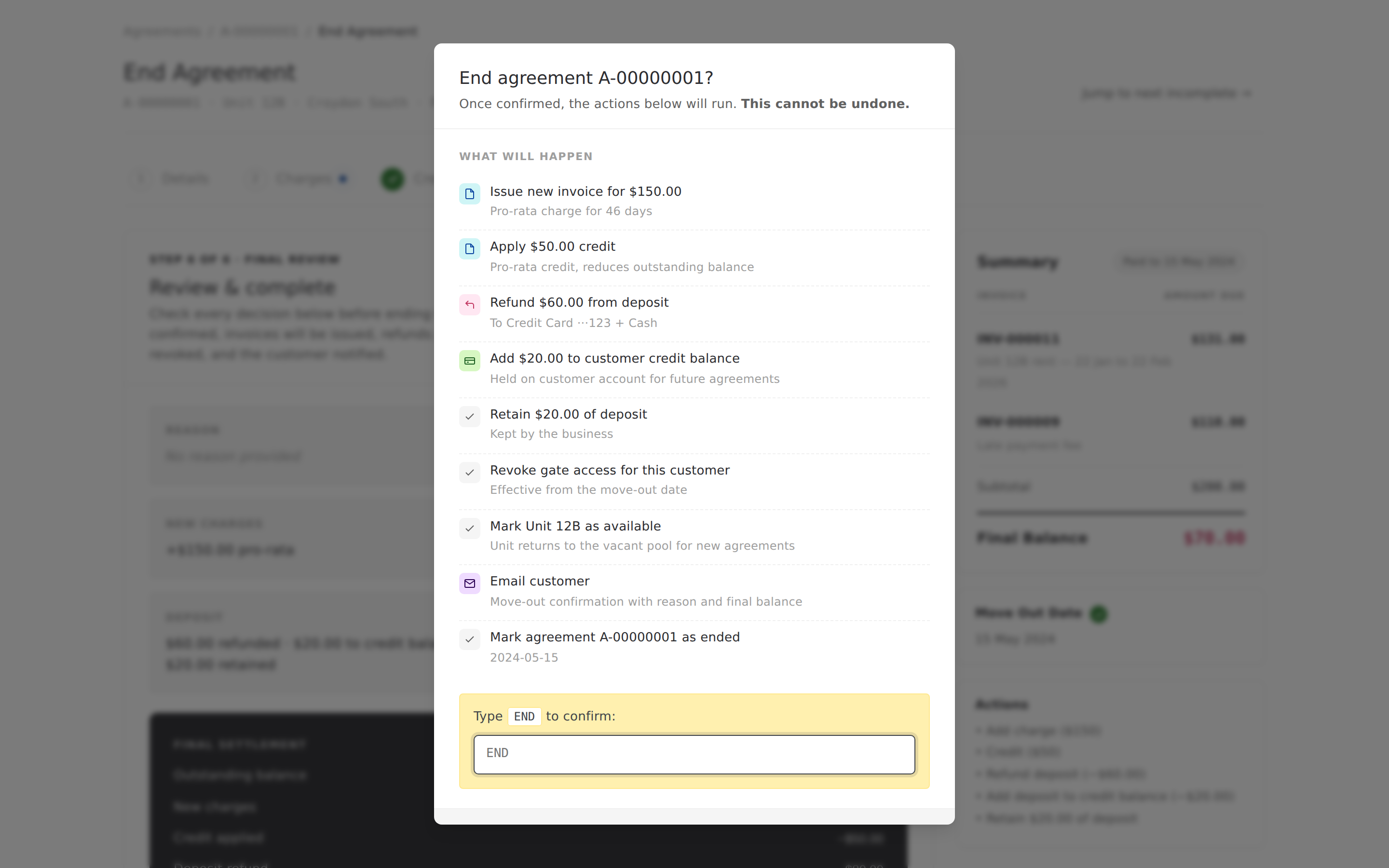
- Confirmation modal lists every action before it fires. Nothing commits until you type END.
A step-by-step flow, not a wall of fields
The page is now a six-tab workflow: Details, Charges, Credit, Deposit, Refund, Complete. Each tab handles one part of the decision, and you can jump between them freely — nothing is locked. As you complete a step, the tab picks up a green checkmark, so you can see at a glance how far along you are. A “Jump to next incomplete” button at the top skips you straight to whatever still needs your attention.
Alyta does the maths for you
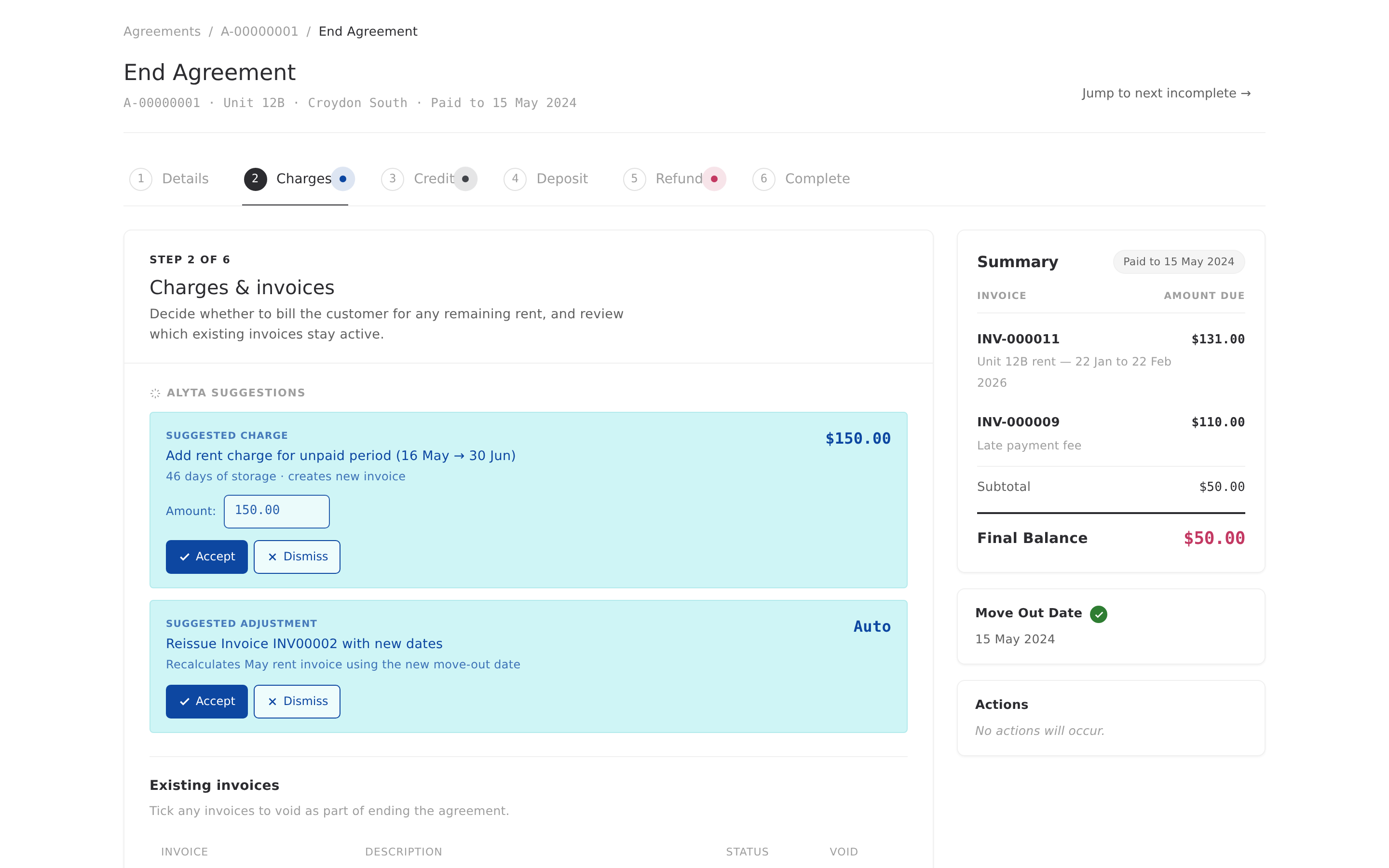
If the customer is leaving mid-cycle, Alyta calculates pro-rata rent, credits, and refunds automatically. Each one shows up as a suggestion on the relevant tab — a proposed amount, the reasoning behind it, and Accept or Dismiss buttons. Everything Alyta suggests is editable, so if you want to round the refund up as a goodwill gesture, or accept the credit at a different value, you can. Anything you accept can be undone right up until you finalise the agreement.
Alyta's suggestions never fire on their own. You're always the one making the call.
A live sidebar that shows where you're landing
The right-hand sidebar recalculates in real time. It shows the current invoices, a subtotal, and — in bold at the bottom — the Final Balance: either what the customer still owes, or what you owe them. Every charge, credit, refund, or deposit allocation you make on the tabs updates the sidebar immediately. No more clicking through a summary at the end and getting a nasty surprise.
A confirmation you can trust
When you press End Agreement, nothing happens yet. A modal appears with a full “What will happen” list — every invoice that will be issued, every refund that will be processed, every allocation, every automatic action. Read it, spot anything wrong, and cancel out if you need to fix something. When you're ready, type END to confirm — a small, deliberate friction step for an action that can't be undone.
Built around how storage actually works
Storage move-outs aren't residential move-outs. There's no room-by-room condition report. Instead there's a lock to remove, a gate PIN to deactivate, a unit to sweep out, and a facility that needs to know a slot just opened up. End Agreement 2.0 has all of that built in: unit and site context sits at the top of every step, manual charges are ready for lock cutting fees and abandoned-unit costs, and when you confirm the End Agreement, gate access is revoked from the move-out date and the unit is returned to the vacant pool for new agreements. No separate access-control system to touch. No manual “mark available” step.
What this means for you
Fewer misfired invoices. Fewer refund errors. No forgotten gate PINs. A unit that goes back on the market the moment the agreement closes. And a job that used to feel stressful reduced to a linear checklist you can work through without holding the whole thing in your head.
End Agreement 2.0 is rolling out to all Alyta accounts. Your existing agreements work exactly as before — the changes affect any new End Agreement flow you start from today.