01
Check the truck
Tick off every unit before leaving. Anything missing goes straight to the office.
Alyta runs your portable storage business: bookings, agreements and billing in the office, and the Alyta Drive app in your drivers' hands, one stop at a time, with every unit checked by its label.
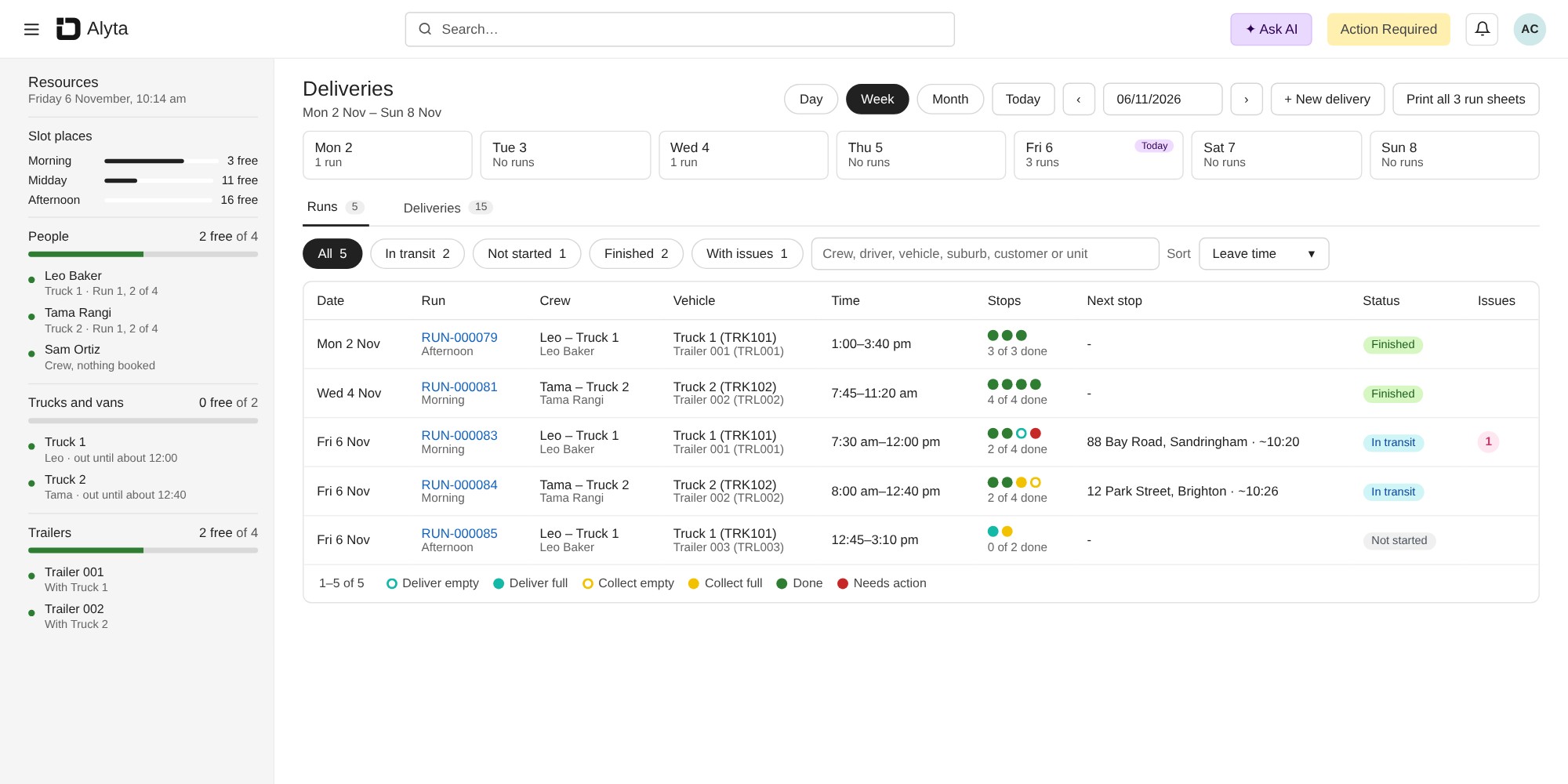
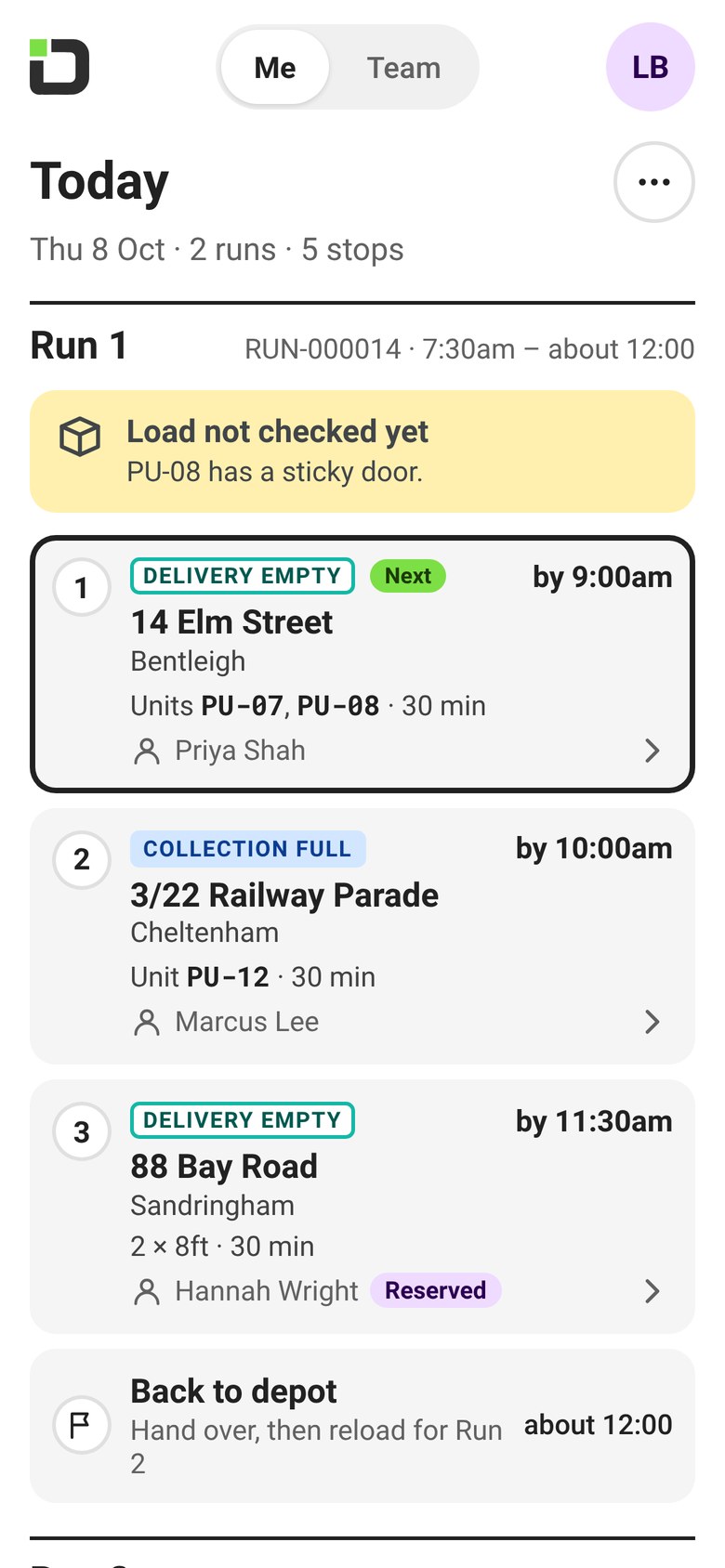
Each driver's stops, what's done, what's on the way and what needs you. When a driver moves a stop or takes a job, you see it straight away.
One decision per screen and one big button. Nothing to learn, nothing to type unless it matters.
Tick off every unit before leaving. Anything missing goes straight to the office.
Reorder stops, move them to the next run or give one to a teammate. Transfers stay in order.
See every driver's jobs and take one on a busy day.
Collected units are handed to the warehouse before the next run loads.

Units move. They go out empty, come back full, sit in the warehouse and go back to the customer. Alyta tracks every one of those moves.
Four job types, full and empty, each with its own colour, so the run sheet reads at a glance.
Drivers check the label at every stop. You always know which unit is on which truck, at which address.
Plan the day in runs, assign drivers, and look weeks and months ahead.
Customers, agreements, invoices and payments sit with the units they belong to.
The office books jobs and groups them into runs for each driver.
The driver ticks off every unit on the truck before leaving.
One stop at a time: directions, label check, done.
Collected units go to the warehouse, then the next run loads.
Unit locations, agreements and the schedule update as the day goes.
Deliveries are teal, collections are blue. A solid badge is a full unit, an outlined badge is empty.
We'll set up a demo with your job types and a day from your schedule.
Portable storage software runs a portable storage business from one place: booking units, scheduling deliveries and collections, tracking every unit, and handling agreements and billing. Alyta does this in the office and gives your drivers the Alyta Drive app for their runs.
Yes. Alyta Drive shows each driver their run one stop at a time. Drivers check the truck load before they leave, check every unit by its label at each stop, and hand collected units over at the warehouse.
Every unit has its own number. Alyta shows whether a unit is in the warehouse, on a truck or at a customer's address, and updates as drivers finish their stops.
Four: delivery empty, delivery full, collection empty and collection full. Each has its own colour on the run sheet, so drivers and the office can read a run at a glance.
Yes. Alyta also runs self storage facilities, so businesses with both portable and self storage can use the same software.
Book a demo and we'll show you Alyta with your own job types, then walk through moving your units, customers and agreements across.


